
I'm a participant in the Amazon Services LLC Associates Program, an affiliate advertising program designed to provide a means for me to earn fees by linking to Amazon.com and affiliated sites.
If you’re new to this kart racer and wondering whether you’ll be crushed by the CPU or suffer unfair rubber-banding, here’s the verdict:
✅ The game supports beginner-friendly difficulty tiers and allows you to tune settings.
⚠️ That said, it does throw a fair amount of chaos at you—items hit frequently, rivals and AI scale up aggressively—and yes, there are reports of rubber-band-style behavior.
Why this matters: If you’re deciding whether to dive into this game solo, with friends, or bring in younger/newer players, you’ll want to know how steep (or forgiving) the learning curve is. Understanding how the AI, item chaos and speed classes work will save frustration and get you having fun sooner.
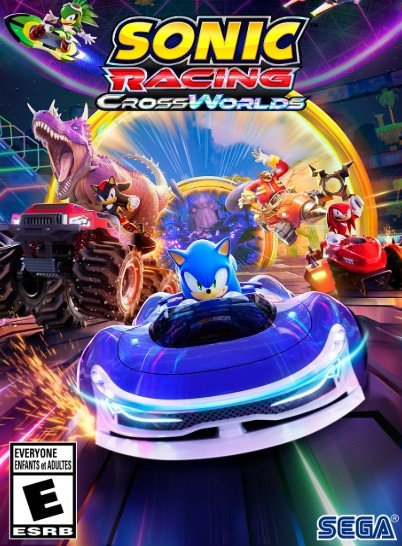

How AI difficulty scales (easy / normal / hard)
- The game’s speed/difficulty system offers multiple “speed classes” (Normal Speed, High Speed, Sonic Speed, Super Sonic Speed) which also act like difficulty tiers.
- In one preview, the “rival” mechanic puts a specific AI driver on a higher difficulty rating (1-10 scale) that will actively target you during a Grand Prix.
- Early impressions note that while the base AI is manageable, switching to higher speed/“Hard” classes ramps up both speed and item aggression — making the learning curve steeper.
Key takeaway: Beginners should stick to the lower speed class (Normal) to get comfortable with drifting, gadgets and item chaos before progressing to harder tiers.
Rubber-banding: what players report vs what devs say
What players report
- Multiple Steam/Reddit posts claim that the AI seems to “catch up” oddly or stay too competitive even when you’re doing well → a classic rubber-band feeling.
- One user: “The AI and rubber banding in this game is so bad…”
- However, not all feedback is extreme: a review noted “rubber-banding only reared its head once during a 12-player Grand Prix final in my fifteenth run.”
What developers / reviewers say
- While the AI is competitive, reviewers highlight that the game emphasizes chaotic items and gadgets rather than punishing rubber-band-only mechanics. For example: “Items are balanced so that catching up to the pack is a breeze… there’s nothing as outwardly powerful as the race-ruining Blue Shell here.”
- The presence of a rival mechanic means some AI are specifically stronger (not necessarily just rubber-banding) — you can opt to target or avoid them.
Verdict on rubber-banding: It isn’t completely absent, but it’s not constant or overwhelming—especially at lower difficulties. It’s more that the game keeps you “in the race” via items and catch-up mechanics rather than relentlessly accelerating AI purely to win.
Tips to learn the meta (gadgets, draft/boost lines)
- Gadgets matter. Equip load-outs that emphasize stability and recovery when you’re new. (Acceleration + handling + defensive gadget)
- Drifting and boost lines are still key — mastering boost panels, air tricks and ring collection helps you stay ahead and reduce reliance on catch-up items.
- Use Frenzy Gates / item settings – in custom lobbies you can adjust rule sets (item frequency, AI difficulty) under Race Park and Custom modes.
- Avoid early frustration by targeting easier cups until you’re comfortable with the track layouts and CrossWorlds transitions.
Best beginner setups (stable handling builds; assists)
- Pick a handling-oriented vehicle rather than pure speed when you’re starting out — you’ll recover from mistakes more easily.
- Equip a defensive gadget (shield, claw, magnet) so you aren’t constantly getting knocked back.
- Activate steering assist / drift assist if available in settings (some players report such options).
- Keep a balanced character: middle tier in speed/acceleration — avoid “glass-cannon” builds until you’ve mastered mechanics.
- Practice Time Trial (see next section) to build confidence in handling before jumping into harder modes.
Modes to practice without getting stomped
- Time Trial – no items, no AI interference. Ideal for learning tracks, boost lines and vehicle handling.
- Custom Match / Solo Grand Prix (Easy/Normal) – set AI difficulty low and fewer items if configurable, to get used to mechanics.
- Race Park – offers alternative race formats with more controlled conditions, helping beginners ease into competition.
FAQs
Is there aim assist for items?
Not explicitly documented. The game has strong item mechanics and gadgets, but no specific “aim-assist” for targeting items is confirmed in developer materials.
Can I turn off certain gadgets?
Yes—via Custom Match or Race Park you can change rule-sets which may allow disabling or lowering gadget/item frequency and setting AI difficulty.
Is Time Trial helpful for learning tracks?
Definitely. Since no items/AI interference, you can focus on racing lines, CrossWorld transitions and boosting — all key for newer players.
What’s a good beginner team comp (if team racing)?
While CrossWorlds emphasises individual races more than team (unlike previous Sonic racing titles), if you are doing team/paired modes: pair a handling/acceleration build with a more defensive gadget partner. Avoid two pure speed builds when you’re new.
Are online casual lobbies skill-based?
You can open Custom Lobbies with skill-friendly settings. For general online matchmaking, the game supports cross-platform and includes basic anti-lag measures, but there is no public detailed “skill-tier” guarantee.
Other Interesting Articles
- Sonic and Tails Toys for Kids and Collectors
- Sonic Figure Showdown: Top 3 Sonic Action Figures Every Fan Needs
- Best Sonic Bookbags to Level Up Your Backpack Game
- Sonic Coloring Pages Actually Worth Buying: Top Picks for Kids & Adults
- Sonic Shoes You Can Actually Wear: Real-Life Hedgehog Speed
About the Author
FandomSpace is your go-to hub for in-depth gaming breakdowns, whether you’re a newcomer or seasoned racer. We help decode mechanics, ease you into competitive play, and find the fun in every kart throne.